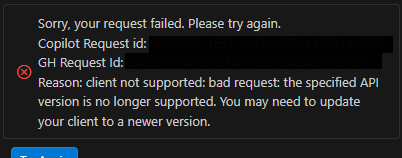
오류: Client not support 에러
Reason: client not supported: bad request: the specified API version is no longer supported. You may need to update your client to a newer version.
vscode에서 copilot을 사용하려고 하니 위와 같은 Bad Request에러가 났다
vscode에서 github sign out하고 다시 로그인을 진행했어도 오류가 해결이 안됐다
해결: > Code: restart to update
copilot에서 client model을 추가하는 등의 패치 업데이트가 진행되면
흔히 생기는 에러라고 한다.
이런 경우 vscode를 아예 restart해야지 해결된다.
Ctrl + Shift + P : Code restart to update
명령어를 쳐서 vs code를 다시 시작하면 된다.
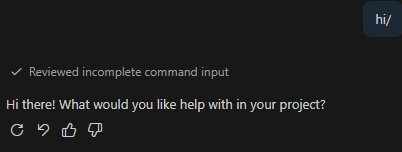
그렇게 다시 접속하면 다시 잘 된다.
Reference
https://github.com/orgs/community/discussions/186835
the specified API version is no longer supported · community · Discussion #186835
Select Topic Area Question Copilot Feature Area Copilot in GitHub Body Sorry, your request failed. Please try again. Copilot Request id: 93961136-128e-4bf4-8041-0ec53e1dc9f5 GH Request Id: D0DD:1BD...
github.com
'Error and Solve' 카테고리의 다른 글
| [오류 해결] codex cli login 무한 로딩 문제 / 창 하나만 띄우기 (0) | 2026.03.04 |
|---|---|
| [오류 해결] 클로드 vscode에서 계정 전환이 안되는 오류 / 해결: claude.json 수정 (0) | 2026.02.27 |
| [설치] Windows에서 wsl2 설치하기 / python-is-python3 (0) | 2025.12.23 |
| [에러 해결] Value error, The checkpoint you are trying to load has model type `gpt_oss` but Transformers does not recognize this architecture. (0) | 2025.12.16 |
| [코드] ollama serve 통해 오픈소스 모델 실행하기 (0) | 2025.11.25 |
