오류: permission denied for schema public error
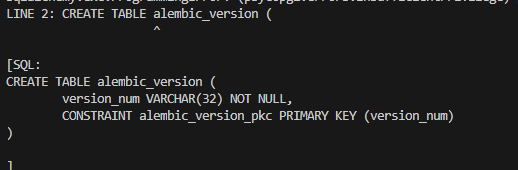
sqlalchemy.exc.ProgrammingError: (psycopg2.errors.InsufficientPrivilege) permission denied for schema public
LINE 2: CREATE TABLE alembic_version (
^
[SQL:
CREATE TABLE alembic_version (
version_num VARCHAR(32) NOT NULL,
CONSTRAINT alembic_version_pkc PRIMARY KEY (version_num)
)
]
(Background on this error at: https://sqlalche.me/e/20/f405)
CREATE TABLE 할 시 permission denied for schema public error가 났다.
postgres를 사용 중인데 테이블 수정할 때 오류가 났다.
해결: 해당 테이블을 모든 유저에게 grant
sudo -u postgres psql
[sudo] password for username:
psql (16.10 (Ubuntu 16.10-0ubuntu0.24.04.1))
Type "help" for help.

postgres=# \c dbname
You are now connected to database "dbname" as user "postgres".
dbname=# GRANT ALL ON SCHEMA public TO PUBLIC;
GRANT
dbname=#
sudo -u postgres psql
[sudo] password for username:
psql (16.10 (Ubuntu 16.10-0ubuntu0.24.04.1))
Type "help" for help.
postgres=# \c dbname
You are now connected to database "dbname" as user "postgres".
dbname=# GRANT ALL ON SCHEMA public TO PUBLIC;
GRANT
dbname=#
필요한 유저에게 grant하거나 모두에게 public으로 바꿔서 해결하는 방법이 있다.
나는 모든 유저에게 public을 주려고 PUBLIC 키워드를 사용했다.
순서대로
1. sudo -u postgres psql
을 bash에 입력하고, sudo를 사용했기에 linux user password를 사용한다.
2. 다음 postgres 입력 cli에 들어오면 \c dbname으로 해당 데이터베이스에 들어간다.
3. You are connected to database dbname 이라는 문구가 뜨면
dbname=# 이라고 뜨는 창에 GRANT ALL ON SCHEMA public TO [username] 을 한다.
물론 코딩하면서 권한 문제가 계속 일어날까봐 나는 그냥 PUBLIC으로 했다.
Reference
PostgreSQL Privileges and Security - Locking Down the Public Schema | Severalnines
PostgreSQL Privileges and Security - Locking Down the Public Schema
This blog details schema privileges and locking down the public schema for PostgreSQL.
severalnines.com
